Home » Machine Series » FlatBed Mulitpass FJET

FlatBed Mulitpass FJET

UV Flatbed printers are also known as scanning printers, because the printheads move back and forth while building the specified resolution across the object to be printed.

Lorem Ipsum Dolor Sit Amet

Lorem Ipsum Dolor Sit Amet

Lorem Ipsum Dolor Sit Amet

Lorem Ipsum Dolor Sit Amet
Meet the Series

UV-LED Curable Flatbed Inkjet Printers

Print a full platen of parts, each with its own design. It’s easy with industrial flatbed UV-LED printers. Because they are digital, there are no plates to etch, and art can be stored for future use. With CMYKWW or a varnish option, these uv flatbed printers can print a full platen in about a minute depending on resolution and configuration, producing vivid, memorable designs at up to 1200 x 1200 dpi.

Features

Precision engineering meets custom flexibility

Our UV-LED curable flatbed inkjet printers are best for flat or semi-flat materials. In flatbed UV printers, color is built up by repeated passes over the object. With a large platen, many parts can be printed on one printer at the same time, all with the same or different images. Variable-data printing is also available, enabling batch-coding or mass-customization. Our flatbed inkjet printers produce sharp images with smooth gradients up to 1200 x 1200 dpi.

  • Lorem Ipsum Dolor
  • Lorem Ipsum Dolor


See it in Action

Explore real-world use cases across materials, shapes, and production requirements—and discover how EPS technology delivers consistency, quality, and durability for complex applications.


Models in this Series
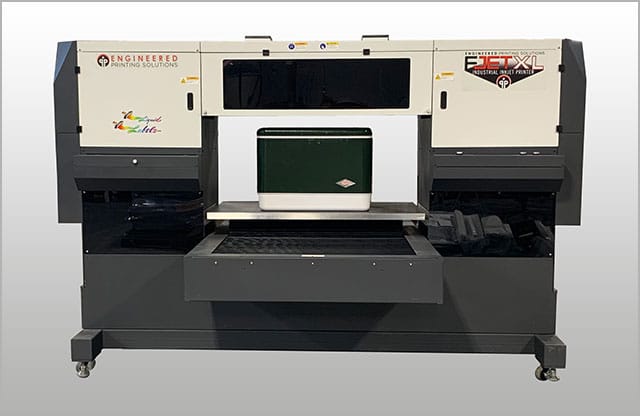
  • FJETXL Industrial Flatbed UV-LED Printer

    Flatbed inkjet digital printing machine.
    • Drop-on-demand UV LED cure inks.
    • Continuous multi-color printing in a single pass.
    • High Quality WW+CMYK images with 4 levels of grayscale.
    • The industrial inkjet printer is easy to operate and requires no special maintenance.
    • Optional custom automation for parts handling, inline pretreatment and vision systems.
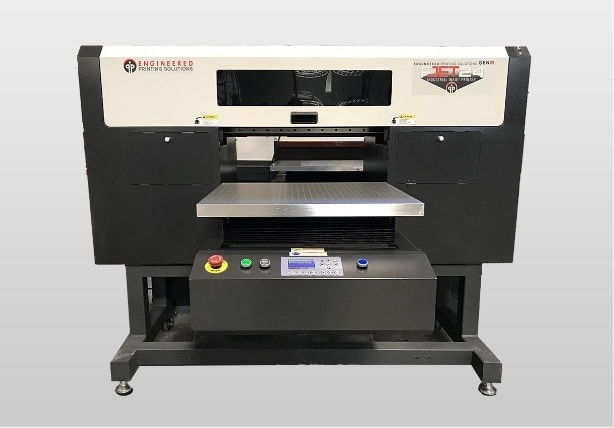
  • FJet24 Gen2 Flatbed UV Printer

    Multi-color, high resolution UV-LED inkjet printer, excellent for personalized souvenirs, customized gifts, industrial products and special promotional items
    • Prints high-quality images up to 1200 dpi
    • High-speed uni- or bi-directional printing
    • Offset white heads allow CMYK + W printing simultaneously
    • Large 1.5 liter ink tanks for each color
    • Clear coat available
    • Automatic print head maintenance
    • Best for flat to semi-flat materials
    • Maximum print area 24” x 20”.
    • Platen height adjustment up to 6”
    • System includes dedicated PC installed with ColorPrint RIP software
    • Drop-on-demand UV-LED ink with rapid curing
    • High-opacity whites
    • Two uv-LED curing lamps
    • White ink continuously circulated
    • Prints a full bed CMYK + WW in under two minutes
  • FJETXL Pro Industrial Flatbed Printer

    The reliable and compact 10-color channel design provides a wider color gamut and a wider variety of applications. The FJetXL PRO printer is an ideal solution for industrial decorations, personalized souvenirs, customized gifts, and special promotional materials.
    • Up to six Ricoh Gen6 print heads for a total of 10 possible channels
    • Max media size: 1100 mm x 610 mm and up to 150 mm in height
    • User friendly color LCD Smart Panel
    • Automatic Ink Supply System monitors and controls the ink levels of main and sub ink tanks with liquid level sensors.
    • Active Negative Pressure System ensures high-quality printing at higher possible firing frequency of inkjet printing with industrial piezo print heads.
    • Print Head Maintenance Module allows automatic purging, wiping and capping for convenient unattended operation.

Model Specifications

Model

Lorem Ipsum Specification

Lorem Ipsum Specification

Lorem Ipsum Specification

XD-70

Lorem Ipsum

Lorem Ipsum

Lorem Ipsum

XD-180

Lorem Ipsum

Lorem Ipsum

Lorem Ipsum

XD-140

Lorem Ipsum

Lorem Ipsum

Lorem Ipsum

XD-360°

Lorem Ipsum

Lorem Ipsum

Lorem Ipsum

Related Equipment & Supplies

EPS supplies more than just equipment. We provide essential accessories and consumables that can be purchased with your printer or after installation to support ongoing production and evolving needs. Contact our Customer Service Team for support!

Accessories
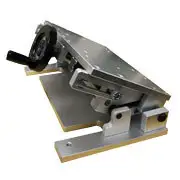
Adjustable Base Fixture

Designed to manually incline a fixture for angled position.

Bowl Feeders

We custom design bowl feeders to your product to allow the part to flow into your printing production line smoothly and efficiently.

BR35M

Accommodates plates up to 350 x 250mm. PHOTOEXPUSURES SERIES BR M For an easier and more autonomous printing experience, Comec Italia offers to client companies a range of quick developing kit for photopolymer clichés. To engrave clichés in-house saves time…

BR50M

Accommodates plates up to 500 x 350mm. PHOTOEXPUSURES SERIES BR M For an easier and more autonomous printing experience, Comec Italia offers to client companies a range of quick developing kit for photopolymer clichés. To engrave clichés in-house saves time…

BR50SV

Centrifugal Feeder

Digital Printer Consumables
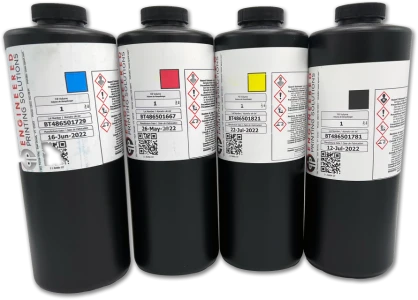
PLT-FJW Digital Ink
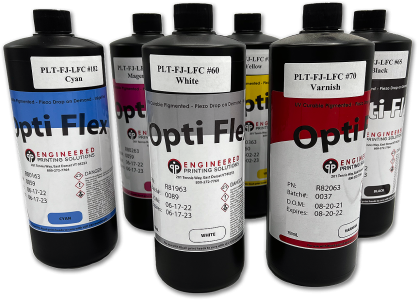
These fluids provide excellent performance properties: Adhesion, Abrasion and Scratch Resistance

PLTFJ-LFC, Gen 4, Flexible, UV Curable FJet Printing Ink
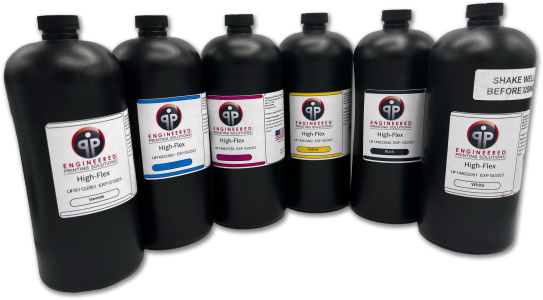
PLTIJ-HAD, Hi-Adhesion UV cure ink
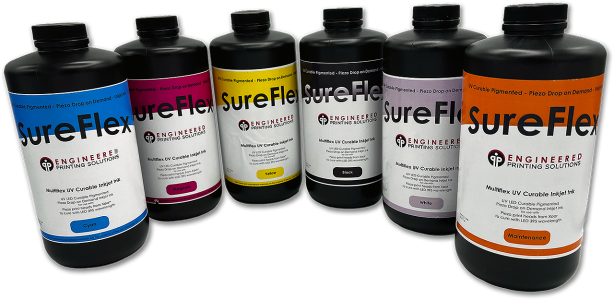
Lorem ipsum dolor sit amet, consectetur adipiscing elit. Cras semper cursus neque, ut iaculis nulla ullamcorper vel. Nulla in fermentum mi. Vivamus faucibus ipsum vel vehicula eleifend.

PLTIJX Digital Printing Ink

PLTMD Digital Printing LED Curable Ink

PLTUV20 Digital Printing Ink

More Than a Machine—A Full System Solution

Customization & Innovation

EPS specializes in providing precision-engineered printing solutions that cater to a range of industries with complex, custom printing needs.

Quality & reliability

EPS is focused on delivering high-quality, reliable printing solutions, emphasizing attention to detail and robust technology.

Customer-Centric Approach

We aim to provide tailored solutions and a high level of customer support to ensure the best outcomes for clients.

Our Engineering Process
  • Client Case Studies

    “When we bring new projects to the EPS team, we are confident that the appropriate process will be identified and validated through testing. We will have the resources available to properly quote the job, define the process and communicate effectively with our customer.”
    John Schwartz
    Schwartz Brothers Printing

product Support

Frequently Asked Questions

Have questions you’re looking to get answers to? Our team of experts is here to ensure your success!

  • Explore the factors that lead to inconsistent ink thickness and learn how to achieve smooth, even deposition across the print area.

    Keep Reading

  • Use this guide to troubleshoot smudging caused by improper ink transfer, curing, or handling—and restore sharp, durable prints.

    Keep Reading

  • This resource explains the causes of small pinholes in the print and provides steps to eliminate them for smoother, uniform coverage.

    Keep Reading

  • Learn how to improve ink opacity by adjusting materials, process parameters, or ink selection to achieve stronger coverage.

    Keep Reading

  • Review this guide to correct color alignment issues and achieve precise registration across multi-color jobs.

    Keep Reading

  • Find out why ink may remain on the pad rather than transferring correctly—and how to resolve the issue for clean, reliable prints.

    Keep Reading

  • Consult this resource to diagnose adhesion failures and optimize surface prep, ink choice, and process settings.

    Keep Reading

  • Use this document to troubleshoot blotchy or uneven print areas and improve overall ink application and consistency.

    Keep Reading

  • This guide helps you pinpoint the causes of unwanted “hairy” edges or feathering and provides steps to eliminate them.

    Keep Reading

  • Explore solutions for restoring fine-line detail when thin lines begin to fill in or lose definition during printing.

    Keep Reading

  • Review this resource to understand the sources of image distortion and the adjustments needed to achieve accurate, consistent prints.

    Keep Reading

  • Use this guide to identify why colors may be unintentionally transferring between pads and how to prevent cross-contamination in multi-color printing.

    Keep Reading

  • Learn how to diagnose and correct common causes of blurred or soft images to restore crisp, precise print quality.

    Keep Reading

Have questions about where to go from here? We can help!